Choosing a Geo-Fencing GPS Child Tracker Watch can make everyday supervision more practical. Parents can create safe zones around a home, school, or trusted relative’s house. If a child crosses the boundary, the watch sends an alert to the connected phone. That small notification may matter during a crowded school pickup or an unexpected route change.
Child-safety technology specialist Parry Aftab offers an important reminder: “Safety tools should protect children without making privacy an afterthought.” Her point deserves attention. A tracker should support family communication, not replace it. Children need to understand what the watch does, when location data is shared, and who can access it. Clear conversations build trust better than hidden monitoring.
A reliable Geo-Fencing GPS Child Tracker Watch should provide accurate positioning, practical battery life, and adjustable alert settings. Some models may use GPS, Wi-Fi, and cellular signals together. Accuracy can still change near tall buildings, indoors, or under weak network coverage. No device is perfect. That matters.
Parents should test the watch near each boundary before relying on it. A school gate may sit beside a busy road. A narrow geofence could trigger repeated alerts. Too many warnings may cause families to ignore genuine problems. The strongest choice balances location accuracy, comfort, privacy controls, and realistic family routines. It is helpful technology, not a substitute for judgment, supervision, or trust.
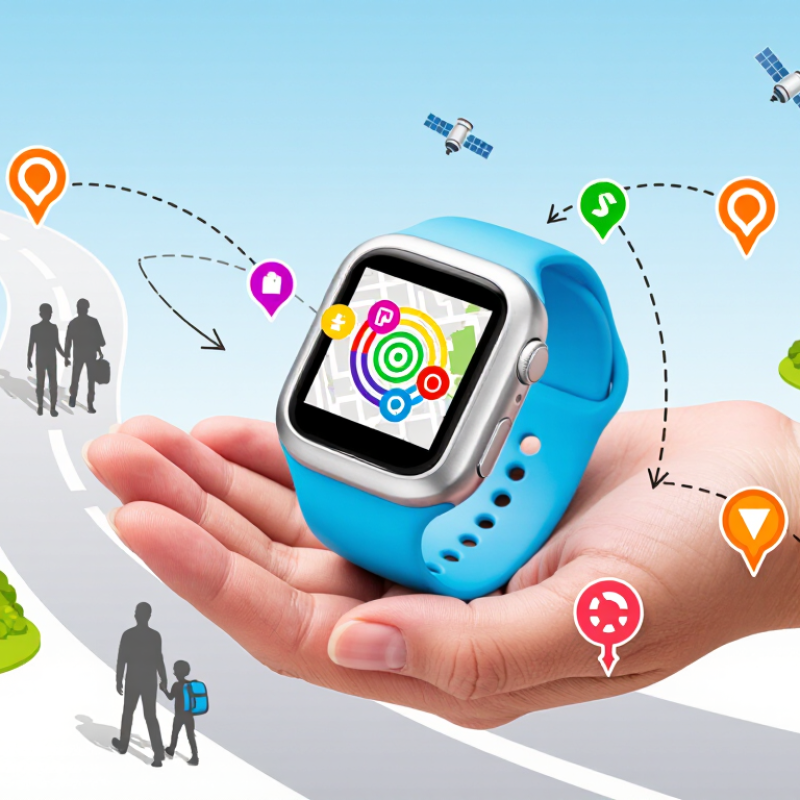
Why Choose a GPS Child Tracker Watch With Geofencing?
What Is a GPS Child Tracker Watch With Geofencing?
A GPS child tracker watch with geofencing combines location technology with a virtual safety boundary. Parents create a permitted area, such as a school route, home, or sports field. When the watch crosses that boundary, the connected app sends an alert. The feature supports awareness without requiring constant phone calls.
GPS identifies the watch’s approximate position through satellite signals. According to GPS.gov, civilian GPS accuracy can reach about 4.9 meters under open-sky conditions. Buildings, trees, weather, and indoor spaces can reduce accuracy. Therefore, a geofence is not a physical wall. It is a practical warning system. Sometimes, the alert may arrive late.
The watch may also use cellular networks, Wi-Fi, or Bluetooth to improve location estimates. The GSMA Mobile Economy 2024 report describes mobile connectivity as increasingly important for everyday safety and communication. However, connectivity is not guaranteed everywhere. Parents should test the watch around school entrances, stairwells, and crowded streets. Small details matter.
A reliable setup includes clear boundaries, alert schedules, battery checks, and limited data sharing. The National Institute of Standards and Technology emphasizes risk-based privacy management for connected devices. That principle fits family technology well. Store only necessary location records. Review access regularly. Children should understand what the watch does and when it is monitored. I would not treat geofencing as perfect protection. It works best as one layer of responsible supervision.
A GPS child tracker watch combines location data with a digital safety boundary. GPS satellites estimate the watch’s position outdoors. A mobile network then sends that data to an approved caregiver’s phone. Together, these systems show where a child is and whether they have left a chosen area.
Geofencing creates a virtual boundary around places such as home, school, or a relative’s house. Caregivers set the boundary through an app. When the watch crosses it, the system sends an alert. For example, a parent may receive a message when a child leaves school before the expected time. The alert can support a quick check without constant calling.
It is not perfect. GPS may become less accurate indoors, near tall buildings, or under heavy tree cover. Weak network coverage can also delay notifications. Battery level matters too. A watch with low power may stop reporting at the wrong moment. In my experience, families get better results when they test the watch along a normal route. Walk from the school gate to home and compare the map with real locations. Adjust the boundary if alerts arrive too often. A geofence should guide attention, not replace communication or adult judgment. Caregivers should explain tracking clearly to the child and review access settings regularly. That small step builds trust and reduces unnecessary worry.
A GPS child tracker watch can turn a vague worry into a clear notification. Parents can create safe zones around home, school, or a relative’s house. If a child leaves one, the phone receives an alert. During school pickup, this can reduce repeated calls and confusion.
28,886 The National Center for Missing & Exploited Children reported 28,886 missing-child cases in 2023. About 91% involved endangered runaways, showing why early awareness matters.
Geofencing also supports practical routines. A parent may notice that a child has not reached school by the expected time. Location history can help explain whether the child took a wrong route or stopped unexpectedly.
However, GPS accuracy can weaken indoors, near tall buildings, or with a low battery. It can still fail. The 2024 GSMA Mobile Economy report estimated 4.7 billion mobile internet users worldwide in 2023, but connectivity does not guarantee dependable tracking everywhere.
Responsible use requires calm communication. Parents should explain what the watch does and when location checks happen. Privacy settings, limited data sharing, and strong account passwords deserve attention. NCMEC’s data supports preparedness, not constant surveillance.
A tracker cannot replace teaching children safe routes, trusted adults, and emergency communication. That limitation is easy to overlook. Personally, I would test the alert at different times before relying on it during a real emergency.
Why Choose a GPS Child Tracker Watch With Geofencing?
Important Features to Consider Before Choosing
A GPS child tracker watch can create a safer routine, but geofencing is not magic. It sends an alert when a child enters or leaves a chosen area, such as school, home, or a grandparent’s house. GPS.gov explains that civilian GPS accuracy can reach about 7.8 meters under open-sky conditions. Buildings, trees, and weather may reduce accuracy. That limitation matters near busy roads or apartment blocks.
Check the watch’s location technology before buying. GPS should work with cellular positioning and Wi-Fi support, not GPS alone. Review update frequency, battery life, emergency contact controls, and water resistance. A device that updates every few minutes may miss a quick change in direction. NCMEC recorded more than 29,000 missing-child reports in the United States during 2023, showing why dependable communication deserves attention. However, a tracker cannot replace supervision or a child’s basic safety habits.
Tips: Test the geofence near your home. Walk beyond its boundary and measure the alert delay. Read the privacy policy carefully. Confirm how location data is stored and deleted. Keep notifications limited, because constant alerts can create anxiety. I would also question oversized accuracy claims. Real streets are messier than product demonstrations. Choose simple controls, clear alerts, and a support service that explains technical limits honestly.
Important features to consider include positioning accuracy, alert reliability, and the ability to set a geofence that matches the expected location conditions.
How to read this chart: Outdoor GNSS/GPS generally provides the most precise location, while Wi-Fi and cellular positioning can be less accurate. Because real-world accuracy varies with buildings, weather, signal obstruction, and device placement, choose a watch with adjustable geofence radii and reliable location updates.
GPS child tracker watches with geofencing can help families understand a child’s routine, but privacy deserves equal attention. A geofence works best when its boundaries match real places, such as a school gate or a grandparent’s driveway. Caregivers should review location permissions, data retention, and account access regularly. The child should know what information is collected and when tracking is active. Clear explanations build trust better than silent monitoring. Data should be protected during transmission and storage, although no connected device is completely risk-free. That limitation matters.
Accuracy changes with buildings, trees, weather, satellite visibility, and network conditions. GPS may place a watch across the street, then correct itself minutes later. A narrow boundary can create unnecessary alerts near apartment blocks or busy roads. Wider zones often suit daily routines better, but they reduce precision. Test the watch at several real locations before relying on it. Do not treat one notification as proof of an emergency.
Daily use also depends on habits. Charge the watch at a consistent time, and check its battery before school. Keep emergency contacts current. Teach the child how to call for help and recognize a low-battery warning. Some features may fail indoors or during weak network coverage. I would also question whether constant alerts improve safety or increase anxiety. The right setup may need adjustment after a week of ordinary use.
| Consideration | Typical Real-World Information | What to Look For | Everyday Impact |
|---|---|---|---|
| Outdoor location accuracy | GPS commonly provides accuracy of about 5–10 metres under open sky, but buildings, trees, weather, and satellite visibility can affect results. | A device that combines GPS with cellular and Wi-Fi positioning and clearly displays an accuracy estimate. | Useful for confirming a child’s general location, but not for identifying an exact room, doorway, or seat. |
| Indoor and urban accuracy | GPS signals may be weak indoors or between tall buildings. Location estimates can be delayed or show a wider error range. | Clear warnings when the watch is using approximate location or a last-known position. | Parents should treat indoor alerts as indicators rather than precise proof of a child’s exact position. |
| Geofence design | A geofence is a virtual boundary around a place such as home, school, or a caregiver’s address. Smaller boundaries are more sensitive to GPS variation. | Adjustable circular boundaries, separate arrival and departure alerts, and a visible map preview before saving. | A practical boundary should extend beyond the building or property edge to reduce unnecessary notifications. |
| False geofence alerts | GPS drift, weak signals, and delayed location updates can trigger a boundary alert even when the child has not meaningfully left the area. | Entry and exit confirmation, alert delays, and settings that prevent repeated notifications. | Fewer false alarms make the system easier to trust and less distracting during school or work hours. |
| Location refresh rate | More frequent updates generally require more battery power and may be affected by network availability. | Selectable tracking intervals, a last-updated timestamp, and a low-battery warning. | Use frequent tracking for travel or unusual situations and a lower frequency for normal daily routines. |
| Battery life | Many GPS watches provide roughly one to several days of use, depending on tracking frequency, cellular signal, calls, screen use, and temperature. | A realistic battery estimate under active tracking, a battery percentage display, and a charging routine that fits family schedules. | A dead battery removes location visibility, so charging reminders are as important as the tracking feature itself. |
| Cellular connectivity | GPS determines position, while a cellular connection normally sends that position to the parent’s app. Coverage gaps can delay updates. | Transparent coverage requirements, roaming information, and an offline or last-known-location indicator. | Check coverage on school routes, at home, and in places the child regularly visits before relying on alerts. |
| Privacy and consent | A tracker can collect location history, account details, device identifiers, and communication data. Collection should be limited to a clear safety purpose. | Plain-language privacy information, parental controls, role-based access, account deletion, and clear data-retention periods. | Only approved caregivers should have access, and location sharing should be reviewed when family circumstances change. |
| Data security | Location data is sensitive personal information. Encryption during transmission and storage helps reduce unauthorized access, but no connected system is risk-free. | Encrypted connections, secure account recovery, strong passwords, multi-factor authentication, and regular software updates. | Security settings should be enabled before the watch is given to a child and checked periodically. |
| Emergency communication | SOS calling or messaging depends on battery power, cellular coverage, account setup, and the device’s available communication functions. | A simple emergency control, configurable trusted contacts, confirmation that messages were sent, and clear limitations. | Test the feature with the child and explain that it does not replace local emergency services or adult supervision. |
| Water and physical durability | An IP rating describes resistance to dust and water under specified test conditions; it does not automatically mean the watch is suitable for swimming. | A clearly stated IP rating, operating-temperature guidance, secure strap, and information about charging-port protection. | Choose protection that matches the child’s routine, including sports, rain, handwashing, and outdoor play. |
| Responsible daily use | Location tracking is most effective as a safety aid, not as a substitute for communication, agreed boundaries, or age-appropriate independence. | A family plan covering when tracking is active, who can view data, how long history is retained, and how alerts are handled. | Clear expectations help preserve trust while allowing geofencing to provide useful routine notifications. |
Note: Performance varies by device settings, satellite visibility, cellular coverage, local buildings, weather, battery condition, and software configuration. Geofencing should be treated as an additional safety layer rather than a guaranteed real-time boundary.
It combines location tracking with a virtual safety boundary. Parents can set zones around home, school, or a sports field. An alert appears when the watch leaves or enters that zone.
The connected app compares the watch’s location with the selected boundary. If the watch crosses it, the app sends a notification. Alerts may arrive late.
No. GPS usually performs better outdoors, under open skies. Buildings, trees, weather, and weak signals can shift the reported position. The watch might appear across the street briefly.
GPS should work with cellular networks, Wi-Fi, or Bluetooth. Using several signals can improve estimates near buildings and crowded streets. Still, coverage is never guaranteed everywhere.
Set a boundary near home, then walk beyond it. Measure the alert delay near gates, stairwells, and apartment entrances. Real streets reveal problems.
Check location updates, battery life, emergency contacts, water resistance, and network coverage. A device updating every few minutes may miss a quick change in direction. Simple controls are often easier to use.
Collect only necessary location information. Review account access, permissions, and stored records regularly. Explain tracking to the child. Silent monitoring may weaken trust.
No. It is one safety layer, not a physical barrier or guaranteed rescue tool. Teach the child to call for help and notice low-battery warnings. I would not rely on one notification alone.
A Geo-Fencing GPS Child Tracker Watch combines location tracking with virtual safety zones to help parents stay informed about a child’s whereabouts. GPS technology shows the watch’s approximate position, while geofencing allows parents to set approved areas such as home, school, or a caregiver’s location. When the child enters or leaves one of these zones, the watch can send an alert, giving families an early notice when plans change or extra attention may be needed.
When choosing a device, parents should consider location accuracy, battery life, two-way communication, emergency contact options, water resistance, comfort, and ease of use. Privacy protection is equally important, so families should review data settings and share location information only with trusted contacts. GPS signals may become less accurate indoors or in crowded areas, and the watch should support healthy, age-appropriate independence rather than constant monitoring. With realistic expectations and regular charging, this technology can provide practical reassurance while helping children follow daily routines safely.