Free Angel Watch™ app · No app subscription · 14-day money-back guarantee
0%

When an emergency happens, even a few seconds can feel long. A One-Touch SOS Emergency Calling Watch is designed to make reaching help more direct: press a dedicated button, and the watch can contact a chosen person or emergency service, depending on its features and network coverage. For an older adult walking to the corner shop, or a hiker pausing on a quiet trail, that simple action may be easier than finding and unlocking a phone.

The value is practical, not magical. Before choosing a watch, check how its SOS function works, whether it needs a paired phone or subscription, and which contacts it can call. Look at battery life, water resistance, signal requirements, and how easily the wearer can press the button. A clear setup matters: saved contacts should be current, and the wearer should know what happens after activation. Test the process safely, following the manufacturer’s instructions.

Small details count. A button that is difficult to reach, a drained battery, or weak reception can limit usefulness. That deserves honest thought. An SOS watch cannot prevent every emergency, and it should not replace sound judgment or regular care. Yet a well-chosen device can offer a straightforward way to ask for help when a phone is out of reach or confusing to use. The right choice depends on the wearer’s routine, needs, and comfort with the technology.
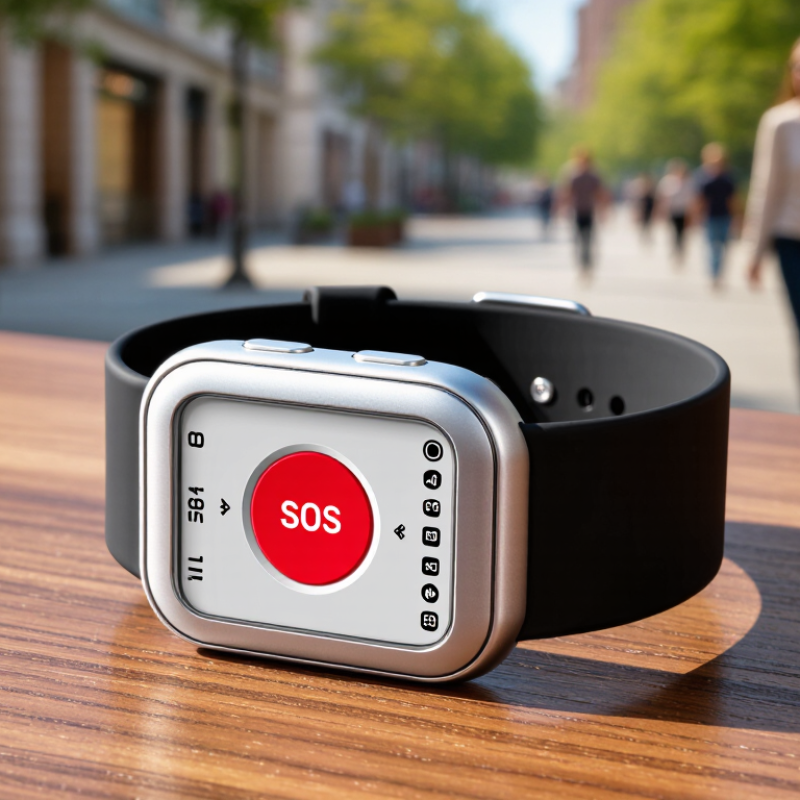
Why Choose a One-Touch SOS Emergency Calling Watch?

How a One-Touch SOS Emergency Calling Watch Works

A one-touch SOS watch turns an urgent moment into a simple action: press and hold its emergency button. The exact process varies by model, so check the instructions before relying on it. Some watches start a countdown, giving you time to cancel an accidental press. Others begin calling a saved contact or emergency response service right away.

After activation, the watch may send an alert with your location and place a call through its cellular connection. A built-in speaker and microphone can let you speak without reaching for a phone. Imagine slipping on a wet sidewalk and calling for help while staying seated. That convenience depends on a charged battery, working mobile coverage, and accurate setup. No signal, no reliable call.

Before wearing the watch, add current contacts and test its functions in a safe setting. Confirm that location sharing works outdoors and that the people receiving alerts know what to do. Small details matter. A watch may not identify an emergency correctly, and pressing a button cannot guarantee help will arrive. I would not treat it as a substitute for a phone or local emergency guidance. It is a useful backup, but its limits deserve a little thought.

Key Features That Support Rapid Emergency Response

In an emergency, fumbling through a phone menu can cost precious seconds. A one-touch SOS button gives the wearer a direct way to alert chosen contacts. It should be easy to find by touch, even with cold hands or in dim light. A short vibration or clear screen message can confirm that the alert was sent. Small details matter.

Useful watches can share the wearer’s location with trusted contacts, helping them understand where to look. Some also support two-way calling, so the wearer can explain what happened without reaching for a phone. The connection still depends on coverage, setup, and battery power. Test these features before relying on them. A quiet test call can reveal confusing steps.

Fall detection may send an alert when the wearer cannot press the button, but it can miss events or trigger by mistake. Check whether alerts can be cancelled, and keep emergency contacts current. A watch cannot solve every emergency. It can, however, make asking for help more accessible, especially for someone walking alone or living with limited mobility. The interface may not feel intuitive at first; that is worth noticing and practicing, not ignoring.

Why Choose a One-Touch SOS Emergency Calling Watch? - Key Features That Support Rapid Emergency Response

Feature How It Works How It Supports a Faster Response What to Check
One-touch SOS button A dedicated button starts an emergency call or alert, sometimes after a press-and-hold to help prevent accidental activation. Makes it easier to request help without navigating a phone menu or unlocking a device. Confirm the activation method, cancellation process, and whether the watch gives clear confirmation that an alert was sent.
Emergency calling Depending on the model and service, the watch can call a configured contact, a monitoring center, or an available emergency number. A live voice connection can let the wearer describe the situation and answer questions. Check whether calling requires a cellular plan, subscription, paired phone, or specific network coverage.
GPS location sharing A compatible watch can include its location in an alert or share it with designated contacts through an app or service. Provides responders or trusted contacts with a starting point for locating the wearer. Location accuracy and update speed vary with satellite visibility, buildings, connectivity, and device settings.
Automatic fall detection Some models use motion sensors to detect a possible hard fall and may prompt the wearer before placing a call or sending an alert. Can help when a person cannot reach or press the SOS button after a fall. Fall detection is not available on every watch and may miss some falls or trigger false alarms; it should not replace manual SOS access.
Two-way voice and speaker A built-in microphone and speaker, when included, allow a call to be handled directly from the wrist. Lets the wearer communicate without retrieving a phone, which may be difficult during an incident. Check voice clarity, speaker volume, and whether hands-free calling works independently of a nearby phone.
Emergency contacts The wearer or account manager can set up one or more trusted contacts to receive calls, messages, or alerts. Notifies people who may know the wearer’s needs and can coordinate assistance. Keep contact details current and confirm who receives an alert and in what order.
Cellular connectivity A watch with supported cellular service can connect without relying on a paired phone being nearby; other models depend on a phone or Wi-Fi. Can make SOS calling available when the wearer is away from their phone. Verify network compatibility, service activation, coverage in common locations, and any ongoing service fees.
Battery and low-power alerts Battery life depends on factors such as call frequency, cellular signal, location tracking, and display use; some watches show low-battery notifications. A charged, worn device is more likely to be available when an emergency occurs. Review the manufacturer’s stated battery conditions and establish a regular charging routine.
Wear comfort and clear controls A comfortable fit, distinguishable button, and simple interface make the watch easier to wear and operate consistently. A familiar, accessible control can reduce hesitation when time matters. Test button size and placement, screen readability, strap fit, and operation with the wearer’s mobility or vision needs in mind.

Note: Emergency features vary by device, service plan, region, and network availability. An SOS watch cannot guarantee that a call or alert will connect; test the setup and review the device instructions before relying on it.

Safety Benefits for Everyday Use

A one-touch SOS watch can reduce the steps between noticing danger and contacting help. For an older adult walking home at dusk, a single press may be easier than unlocking a phone with cold or shaky hands. The alert may reach chosen contacts or an emergency response service, depending on the watch’s setup and connectivity. That distinction matters. Before relying on it, check whether the device needs a mobile connection, a paid plan, or a charged battery. A simple test call can reveal confusing settings before they become important.

The everyday benefit is often reassurance, not constant protection. A parent can feel more comfortable letting a teenager walk a familiar route, while the wearer keeps both hands free. It may also help someone living alone ask for assistance after a fall. Still, an SOS watch cannot detect every emergency or guarantee that help will arrive immediately. False presses are possible, and indoor signal can be weak. Practice using the button, explain whom it contacts, and keep emergency details current. Small habits help. Even then, the wearer may hesitate to press it; that human part deserves attention too.

Who Can Benefit from an SOS Calling Watch

A one-touch SOS calling watch can help older adults who live alone or move around without a phone in hand. If someone feels dizzy while gardening, for example, a quick button press may connect them with a chosen contact. The watch is also useful for people with mobility challenges, since reaching into a bag or unlocking a phone can be difficult. That matters.

Parents may choose one for a child walking home from school, while caregivers may value a simpler way to check in with a relative. It can also suit people who work outdoors or travel between job sites. A familiar button and a short call can feel easier than navigating a screen under stress. Not every day.

The watch works best when its wearer knows how to use it and trusted contacts are set up in advance. Test the calling function, keep the device charged, and check that mobile coverage is available where it will be worn. Features vary, so confirm whether the watch needs a separate service plan or a connected phone. An SOS watch cannot prevent emergencies, and a missed charge or weak signal can limit its usefulness. Still, for someone who may struggle to reach a phone, one clear button can make asking for help more practical.

Factors to Consider When Choosing a Model

Choosing a one-touch SOS watch starts with the person wearing it, not the feature list. The CDC reports that

about one in four U.S. adults aged 65 and older falls each year.

The World Health Organization estimates that 37.3 million falls annually are severe enough to require medical attention.

These figures make button reach and call reliability practical priorities. Check whether the wearer can press the button with one hand, even in dim light or with stiff fingers. Try it while seated and standing. Small detail, big difference.

Ask what happens after the alert. Can the watch call directly, or does it depend on a nearby phone? A phone left upstairs or with a depleted battery can break that connection. Check cellular coverage, contact settings, and how the device shares location. GPS may be less precise indoors, where Wi-Fi or cellular signals may help. Test the process with consent, and learn how to cancel an accidental alert.

Battery life matters only if the watch is charged consistently. Look for clear low-battery warnings, a comfortable strap, and water resistance suited to daily routines. Check whether the speaker is audible in a noisy kitchen and whether the screen is readable without glasses.

No specification replaces a real trial. A watch may look simple in a shop, yet feel awkward after hours on the wrist.

The WHO and CDC figures describe population risks; they cannot predict an individual’s needs.

FAQS

How do I activate a one-touch SOS watch?

Press and hold the emergency button. Some watches start a countdown; others call a saved contact immediately. Check the instructions first.

What happens after the SOS button is pressed?

The watch may share your location and place a call using its cellular connection. A built-in speaker and microphone may let you speak hands-free.

Does an SOS watch always connect to help?

No. A charged battery, mobile coverage, and correct setup are essential. No signal, no reliable call.

Can the watch detect a fall automatically?

Some watches include fall detection, but it can miss a fall or send an alert by mistake. Check how to cancel alerts.

How should I prepare the watch for everyday use?

Add current contacts, then test its features in a safe place. Try location sharing outdoors and make sure contacts know what to do.

Who might find an SOS watch useful?

It may help someone walking alone, living alone, or having limited mobility. For example, one button may be easier than unlocking a phone with cold hands.

Can an SOS watch replace a phone?

No. Treat it as a backup, not a guarantee of help. Keep a phone or other emergency plan available when possible.

How can I avoid confusion during an emergency?

Practice first. Learn which button to press and who receives the alert. The interface may still feel awkward at first, so notice what needs improvement.

Conclusion

A One-Touch SOS Emergency Calling Watch is designed to make it easier to request help when a person cannot readily reach a phone. With a simple button press, the watch can initiate an emergency call or send an alert to designated contacts, depending on the model and its connectivity. Features such as clear audio, location sharing, reliable battery life, and an easy-to-use interface can support a faster response when every moment matters.

For everyday safety, this type of watch may offer reassurance to older adults, people who spend time alone, outdoor enthusiasts, and anyone who wants a convenient way to contact trusted helpers. When choosing a model, consider how it connects, where its calling and location features work, how emergency contacts are set up, battery performance, comfort, and ease of use. Understanding these details can help you select a watch suited to the wearer’s needs and routines.


Ethan

Ethan

Ethan is a professional marketing specialist with a strong understanding of product strategy, customer needs, and market trends. As a key contributor to our team, he regularly publishes insightful articles on the company’s website, sharing practical knowledge, product guidance, industry......