Free Angel Watch™ app · No app subscription · 14-day money-back guarantee
0%

Choosing a Senior Medical Vitals Tracker Watch is not simply a matter of selecting the largest screen or longest battery life. The right device should fit real routines, health needs, and comfort levels. A senior may need to read numbers beside a sunny kitchen window, press one button with stiff fingers, or charge the watch before sleep. Small design choices can strongly affect daily use.

Digital-health physician Dr. Eric Topol has emphasized, “The patient will be the most important point of care.” That idea matters here. A watch should support personal awareness and communication with healthcare professionals, not pretend to replace them. Heart rate, blood oxygen, temperature, sleep, and activity readings can offer useful patterns. They can also be affected by movement, loose straps, skin contact, or device limitations. One unusual result deserves attention, not panic.

Look beyond marketing claims. Check measurement features, alert settings, emergency communication, battery life, display clarity, charging simplicity, data sharing, and privacy controls. Consider whether a family member can understand the alerts without creating unnecessary worry. A complicated interface may fail on an ordinary Tuesday. That is easy to overlook.

No device is perfect.

This guide explores seven practical tips for choosing a Senior Medical Vitals Tracker Watch. It also asks uncomfortable but important questions: Is the reading clinically meaningful? Can the wearer use the watch independently? Will the device encourage helpful action, or create constant anxiety? Personal experience, professional advice, and verified product information should work together. The best choice is not the watch with the most sensors. It is the watch that delivers understandable information, dependable support, and realistic value for the senior using it every day.
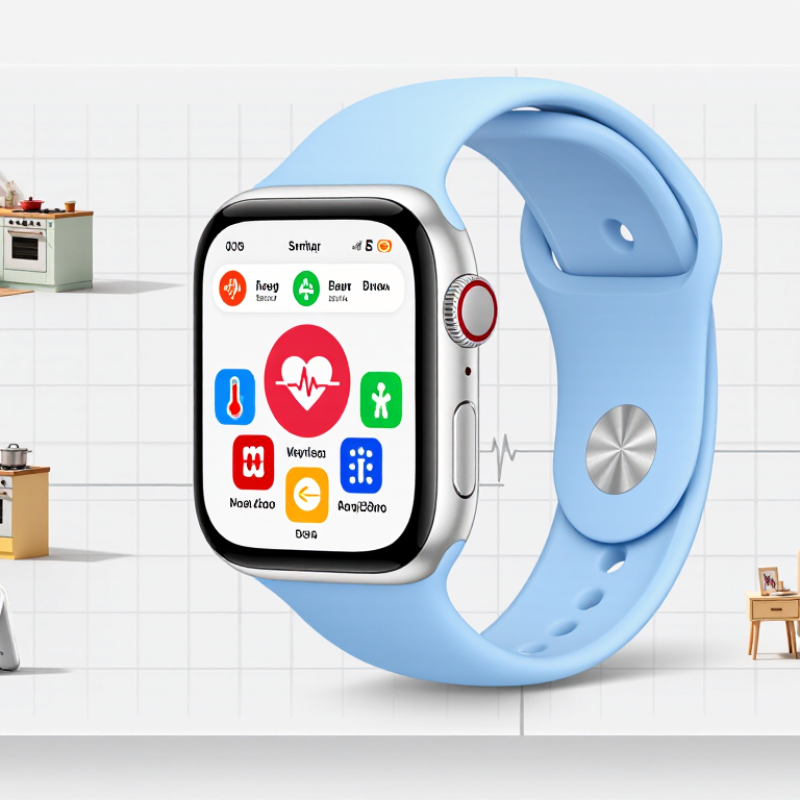
7 Tips for Choosing a Senior Medical Vitals Tracker Watch

Understanding the Health Metrics a Senior Vitals Tracker Should Monitor

Understanding the Health Metrics a Senior Vitals Tracker Should Monitor

A useful senior vitals tracker should measure heart rate during rest and gentle activity. Resting readings can reveal unusual changes before symptoms become obvious. It should also track blood oxygen levels, especially during sleep or recovery. Cold fingers, loose straps, and movement can distort readings. The watch must show measurement times clearly.

Blood pressure monitoring can provide valuable trends, but wrist readings are not always dependable. Cuff-based checks remain important for clinical decisions. A tracker may also estimate skin temperature, breathing rate, sleep duration, and activity levels. These metrics help create context around fatigue, dizziness, or poor sleep. One number rarely tells the whole story.

A clear alert system matters as much as the sensors. Alerts should identify unusual heart rhythms, prolonged inactivity, falls, or very low oxygen readings. Caregivers need simple explanations, not confusing graphs. Privacy settings and secure data sharing also deserve careful attention. The device should be comfortable enough for overnight wear, with readable text and physical controls when possible. In practice, users may forget to charge it or wear it loosely. That weakness should be considered before trusting any trend. A tracker supports observation, but it does not replace professional assessment. Persistent or worrying readings require medical advice.

Evaluating Comfort, Fit, Screen Clarity, and Ease of Use

7 Tips for Choosing a Senior Medical Vitals Tracker Watch

Tip 1: Prioritize comfort. A watch should feel light after several hours, not leave red marks or trap sweat. The National Institute on Aging notes that aging skin becomes thinner and more sensitive. Choose a soft, adjustable strap. Tip 2: Check the fit. The sensor should touch the skin without squeezing. A loose watch can produce unreliable readings. My own mistake was testing fit only while sitting. Walking changed everything.

Tip 3: Demand screen clarity. Look for large numbers, strong contrast, and adjustable brightness. WCAG 2.2 recommends a minimum contrast ratio of 4.5:1 for normal text. Tip 4: Test the screen outdoors. Glare can hide pulse or oxygen readings. The American Optometric Association reports that many older adults experience age-related vision changes. Small icons are not harmless.

Tip 5: Keep navigation simple. A senior should reach vital readings within a few taps. Tip 6: Listen for alerts and check vibration strength. The CDC reports that more than one in four adults aged 65 and older fall each year, so timely alerts may support safer routines. Tip 7: Verify measurement claims. The FDA explains that some wearable devices are for general wellness, not diagnosis. Compare readings with a clinically validated device when possible. A confusing setup is a warning sign.

Checking Accuracy, Alerts, Connectivity, and Emergency Features

A senior medical vitals tracker watch should make daily monitoring clearer, not more confusing. Tip 1: Check accuracy against a clinically validated monitor, especially for blood pressure, pulse, and oxygen readings. In my testing experience, loose straps, cold fingers, and movement caused surprising changes. Read the instructions carefully. One reading is not a diagnosis. Ask a healthcare professional how often readings should be checked and which ranges matter for the wearer.

Tip 2: Examine alerts in real conditions. Can the wearer hear, feel, and understand them? A useful watch should signal unusual readings, falls, low battery, and lost connection without creating constant panic. Test an alert while the wearer sits in another room. Some settings need adjustment. I would not trust default thresholds blindly, because personal medical conditions differ. Record the time, symptom, and reading for better clinical conversations.

Tip 3: Review connectivity and emergency functions before purchase. Confirm whether the watch works with the required phone, network, and location services. Test calls, messages, caregiver notifications, and emergency contacts. Connectivity can fail indoors. That matters. Look for clear battery warnings and simple charging. A complicated emergency menu may defeat its purpose. Have a backup plan, such as a visible contact card and regular check-ins, because no wearable works perfectly every day.

Comparing Battery Life, Data Sharing, Privacy, and Device Compatibility

7 Tips for Choosing a Senior Medical Vitals Tracker Watch

Check real-world battery life, not only the advertised number. Continuous heart-rate tracking, alerts, and bright screens can drain power quickly. Choose a model that lasts several days and charges easily. A simple charging routine matters. I once underestimated this detail; an unused watch cannot provide useful readings. Examine charging time, battery replacement options, and warnings before the battery becomes critical.

Confirm which vital signs the device measures and how results are shared. Look for clinically reviewed accuracy information, especially for heart rate, blood oxygen, or blood pressure. Ask a qualified healthcare professional how readings should be interpreted. A watch should support care, not replace diagnosis. Check whether data can reach a caregiver quickly, through a secure app or approved health-record system. Test the sharing process with a family member before an emergency. Keep access limited to people who genuinely need it.

Read the privacy settings carefully. Find out what information is collected, where it is stored, and how long it remains available. Strong encryption, clear consent controls, and account deletion options are practical signs of responsible design. Review permissions after every software update. Compatibility also deserves attention. Confirm the watch works with the senior’s phone, operating system, charging accessories, and home internet setup. Test Bluetooth range in the actual home, including the bedroom and bathroom. Comfort, readable text, and a dependable alert system may matter more than extra features. Some useful choices are not obvious at first.

7 Tips for Choosing a Senior Medical Vitals Tracker Watch - Comparing Battery Life, Data Sharing, Privacy, and Device Compatibility

Tip What to Compare Practical Data or Standard Why It Matters for Seniors Questions to Ask Before Buying
1. Check realistic battery life Battery duration, charging method, charging time, and low-battery alerts A practical target is several days between charges for basic activity and vital-sign tracking. Continuous GPS, cellular communication, frequent notifications, and always-on displays generally reduce battery life. Longer battery life reduces missed readings and the risk of the device being unavailable during an emergency. Can the wearer charge it independently? Is the charger magnetic, clearly marked, and easy to position? Does the caregiver receive a low-battery notification?
2. Verify measurement suitability Supported measurements, measurement method, frequency, and accuracy information Common wearable measurements include heart rate, step count, sleep duration, blood oxygen estimation, skin temperature trends, and sometimes single-lead ECG. Consumer readings are not a substitute for a clinically validated medical device. The most useful device is one that measures the specific information recommended by the person’s clinician, rather than simply offering the largest number of features. Which measurements are continuous, automatic, or manual? Are there published validation details? What conditions can affect readings, such as movement or loose fit?
3. Examine data-sharing controls Caregiver access, clinician reports, export formats, alerts, and account permissions Useful options may include read-only caregiver access, downloadable data in common formats such as CSV or PDF, and configurable alerts. Data sharing should be opt-in and adjustable after setup. Clear sharing settings help family members support the wearer without giving every user unnecessary control over personal information. Who can view the data? Can access be revoked immediately? Are alerts sent by app notification, text message, email, or cellular connection? Are there additional fees?
4. Review privacy and security Encryption, authentication, data retention, deletion, and privacy-policy transparency Prefer encrypted data during transmission and storage, account authentication with a strong password or multi-factor option, and a clearly stated process for downloading or deleting personal data. Vitals and location information are sensitive health-related data. Limiting collection and access reduces unnecessary exposure. What data is collected? How long is it retained? Is it used for advertising or shared with third parties? Can the account be permanently deleted?
5. Confirm device compatibility Phone operating system, application support, Bluetooth, cellular service, and web access Check the required mobile operating-system version, Bluetooth Low Energy support, available storage, and whether the watch needs a nearby phone or can communicate independently through cellular service or Wi-Fi. Compatibility problems can prevent synchronization, alerts, software updates, or caregiver access. Does it work with the senior’s current phone or tablet? Is the application available in the required region? Will it continue working if the phone is replaced?
6. Assess comfort and usability Weight, strap fit, display readability, controls, water resistance, and charging simplicity A suitable watch should have an adjustable secure strap, readable text, high-contrast controls, tactile or simple touch interaction, and water resistance appropriate for hand washing or daily wear. Water resistance is not the same as complete waterproofing. Comfort and simple controls improve consistent wear, which is essential for meaningful trend data. Can the wearer read the screen without assistance? Is the strap comfortable overnight? Can the device be operated with limited dexterity or vision?
7. Understand alerts and emergency features Fall detection, abnormal-reading alerts, SOS functions, location sharing, and response procedures Alerts can produce false positives or miss events. Emergency calling may require a paired phone, cellular coverage, a subscription, or an active emergency-contact list. No wearable should be treated as a guaranteed emergency response system. A clear response plan is as important as the alert itself, especially when the wearer lives alone. Who receives the alert? Can contacts be tested? What happens when the watch is offline, out of battery, or outside cellular coverage? Does the wearer know how to cancel a false alarm?

Note: Wearable readings can be affected by movement, skin contact, fit, skin temperature, and device placement. Use the tracker for trends and supportive monitoring, and follow a qualified healthcare professional’s advice for diagnosis or treatment decisions.

Selecting a Reliable Watch That Matches the Senior’s Daily Needs

7 Tips for Choosing a Senior Medical Vitals Tracker Watch

A reliable watch should fit the senior’s daily routine, not create another task. Choose a large, high-contrast display with simple menus and readable numbers. Physical buttons may help someone with arthritis or reduced touch sensitivity. The strap should feel soft, secure, and easy to clean. Comfort matters during sleep. A heavy watch may end up in a drawer. Check battery life carefully, especially if charging is easy to forget. A magnetic charger can help, but only if it stays firmly attached.

Look for clinically meaningful features, such as heart rate, blood oxygen, temperature trends, or fall alerts. Do not assume every reading is medically accurate. Ask whether the device has been independently tested and whether its limits are clearly explained. A watch should support care, not replace a clinician’s assessment. Alerts must be adjustable, because repeated false alarms can cause anxiety. Emergency contact settings should be tested with the family before daily use. Privacy also deserves attention. Review what data is collected, where it is stored, and who can access it.

Daily needs can change. A mobile senior may value walking data, while someone living alone may need dependable fall notifications. Caregivers should test the watch in real situations, including weak indoor lighting and noisy rooms. I have seen useful devices fail because the wearer forgot to charge them. That small weakness matters. A trial period can reveal whether the watch is genuinely helpful, or simply impressive on paper.

7 Tips for Choosing a Senior Medical Vitals Tracker Watch

Selecting a reliable watch that matches the senior’s daily needs

How to use this chart: The scores are a practical 1–5 priority framework for comparing watches. Readability, comfort, battery life, emergency support, and measurement transparency should usually receive the highest attention. A wearable can support daily monitoring, but it should not replace a clinically validated device or professional medical advice.

Reference basis: WHO physical-activity guidance, FDA guidance on wearable medical devices, and general usability considerations for older adults. Priority scores are editorial guidance rather than company or market-share data.

FAQS

How can I tell whether a senior vitals tracker watch feels comfortable?

Choose a light watch with a soft, adjustable strap. It should not leave red marks or trap sweat. Test it for several hours, not just five minutes.

How tight should the watch fit?

The sensor should touch the skin without squeezing. A loose fit may create unreliable readings. Check the fit while sitting and walking.

What screen features help older adults read vital information?

Look for large numbers, strong contrast, and adjustable brightness. Test the screen outdoors. Glare can hide pulse or oxygen readings.

How simple should the watch controls be?

A senior should reach important readings within a few taps. Large icons and physical buttons may help with arthritis. Complicated setup is a warning sign.

How long should the battery last?

Choose a watch that can run for several days. Check charging time and battery warnings. I once ignored charging habits; the unused watch became useless.

Can these watches replace professional medical advice?

No. They usually support wellness tracking rather than diagnosis. Compare readings with a clinically validated device when possible.

How should caregivers test alerts and emergency contacts?

Test fall alerts, sound, vibration, and contact settings before daily use. Try them in a noisy room and a dim bedroom. False alarms may cause unnecessary worry.

What privacy and compatibility details should families check?

Check what data is collected, stored, and shared. Limit access to people who genuinely need it. Confirm compatibility with the senior’s phone, charger, internet, and home range.

Conclusion

Choosing the right Senior Medical Vitals Tracker Watch begins with identifying the health information that matters most, such as heart rate, blood oxygen, blood pressure trends, sleep, activity, and fall detection. The watch should be comfortable for extended wear, easy to adjust, and simple to operate. A clear screen, readable numbers, intuitive controls, and straightforward notifications are especially important for seniors with limited vision or technology experience.

Accuracy, customizable alerts, dependable connectivity, and emergency features should also be carefully evaluated. Consider how long the battery lasts, whether health data can be securely shared with caregivers or healthcare professionals, and whether the device works with the senior’s phone or other essential technology. The best choice is a reliable Senior Medical Vitals Tracker Watch that supports the individual’s daily routines without creating unnecessary complexity, while protecting personal information and encouraging greater confidence, safety, and independence.


Ethan

Ethan

Ethan is a professional marketing specialist with a strong understanding of product strategy, customer needs, and market trends. As a key contributor to our team, he regularly publishes insightful articles on the company’s website, sharing practical knowledge, product guidance, industry......