Free Angel Watch™ app · No app subscription · 14-day money-back guarantee
0%

Choosing a Fall Alert Smartwatch for Elderly relatives is more than comparing screen size and subscription prices. It involves safety, comfort, trust, and daily habits. A useful watch should detect sudden movement, support quick communication, and remain comfortable during long hours.

Dr. Mary Tinetti, a leading geriatrician and falls researcher, is widely quoted as saying, “Falls are not an inevitable consequence of aging.” That perspective matters. A smartwatch should support independence, not make older adults feel watched or restricted. Look for reliable fall detection, a loud speaker, simple controls, long battery life, and clear emergency-contact settings. Large buttons help when fingers shake. A bright screen helps inside a dim hallway.

Real-world experience also exposes weaknesses. Some watches may miss slow falls beside a bed. Others may send false alerts after gardening or vigorous movement. Cellular coverage can fail. Batteries can empty at inconvenient times. No device is perfect. I would still question any product promising complete protection. Check independent testing, manufacturer support, water resistance, and compatibility with the wearer’s phone. Test the alert process at home before depending on it. Does the contact answer? Can the wearer speak clearly? What happens when the watch loses connection?

This guide explains how to compare a Fall Alert Smartwatch for Elderly users with practical judgment. It considers technology, comfort, privacy, cost, and caregiver response. The best choice is not always the most advanced model. It is the one the wearer will actually wear, charge, and trust every day.
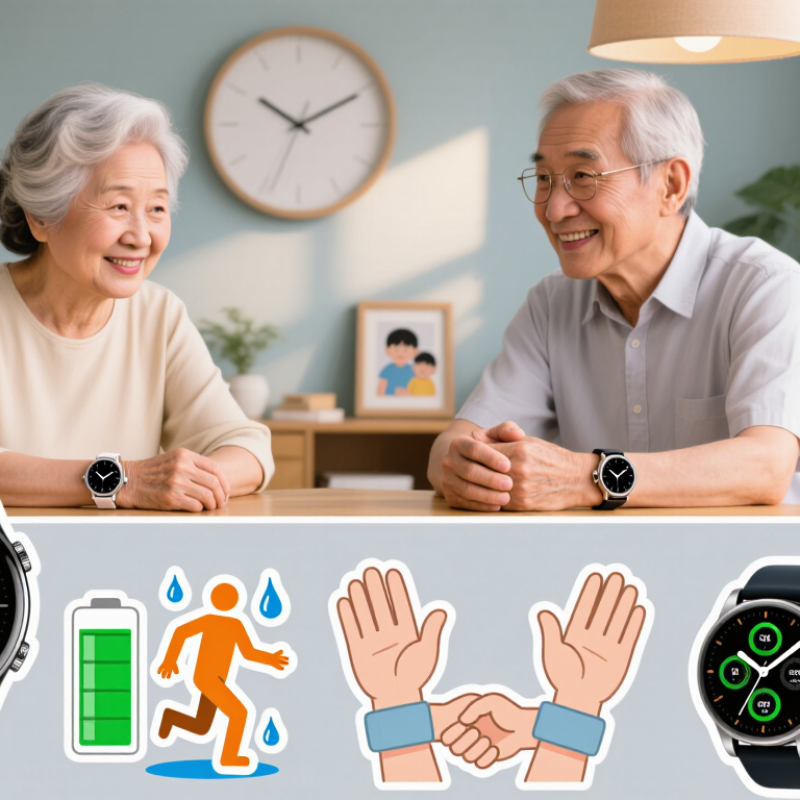
How to Choose a Fall Alert Smartwatch for Elderly?

What a Fall Alert Smartwatch Does for Older Adults

A fall alert smartwatch can give older adults faster access to help after an accident. It uses motion sensors to detect sudden changes, such as a hard impact followed by unusual stillness. When a possible fall occurs, the watch may ask the wearer to confirm their condition. If there is no response, it can send an alert to a chosen contact or monitoring service.

Some models include an emergency button, two-way voice communication, and location sharing. These features matter when an older person feels dizzy, confused, or unable to reach a phone. During everyday use, comfort is equally important. A heavy watch may stay in a drawer. A loose strap may reduce sensor accuracy. Check battery life, charging methods, cellular coverage, and whether the device works inside the user’s home.

No device is perfect. A watch may miss a slow fall or trigger an alert during exercise. Users should understand these limits before relying on it. A waterproof design can help during bathroom accidents, but water resistance levels differ. Privacy also deserves attention, especially when location data is stored or shared. Ask who receives alerts and how quickly they respond.

The best choice matches the person’s health needs, daily habits, and technical confidence. Practice pressing the emergency button. Test the alert system with family members. Keep medical information updated, but do not treat the watch as a replacement for professional emergency care.

How to Choose a Fall Alert Smartwatch for Elderly?

What a Fall Alert Smartwatch Does for Older Adults

Fall alert smartwatches can detect a possible fall, provide an opportunity to cancel a false alarm, and send an emergency alert to a selected contact or response service. When choosing a device, look for reliable fall detection, clear two-way communication, location sharing, comfortable design, long battery life, and an easy-to-use emergency button.

The chart highlights two widely reported fall-risk figures for adults aged 65 and older: more than one in four older adults fall each year, and about one in five falls causes a serious injury. The percentages use different denominators and should not be added together. Source: U.S. Centers for Disease Control and Prevention, Older Adult Fall Prevention.

Key Features to Compare in Fall Alert Smartwatches

How to Choose a Fall Alert Smartwatch for Elderly?

Fall detection should be the first feature to compare.

The World Health Organization reports about 684,000 fatal falls worldwide each year. Older adults face the highest risk. Choose a smartwatch using motion sensors and automatic alerts, not only a manual emergency button.

However, no device detects every fall. A slow collapse, soft carpet, or unusual wrist position may confuse the sensors. Ask whether the watch allows users to cancel false alarms within a short countdown. Test it carefully.

Response speed matters after detection.

Look for two-way voice communication, location sharing, and dependable cellular coverage. The CDC reports that more than one in four older adults falls annually. Many do not tell a doctor.

A watch that contacts a caregiver quickly can reduce hesitation beside a bathroom floor. Check whether location works indoors, outdoors, and during weak signal conditions.

Battery life also deserves attention.

Daily charging may fail for someone with memory difficulties. A comfortable, water-resistant design supports continuous use, especially at night.

Review privacy controls before enabling health or location sharing. Data handling should be clear, limited, and understandable.

Fit matters. Test it.

A family trial can reveal problems that product specifications miss, including charging habits, false alerts, and difficulty speaking through the watch.

The CDC’s STEADI guidance also emphasizes exercise, medication review, vision checks, and home safety, so a smartwatch should support care rather than replace it.

How to Assess Comfort, Fit, and Ease of Use

Comfort is not a luxury in a fall alert smartwatch. It affects whether an older adult wears the device all day. The CDC reports that more than 3 million older adults receive emergency treatment for fall injuries annually. A device left in a drawer offers no protection.

Check the watch on a real wrist, not only on a display stand. The strap should feel secure without leaving red marks after several hours. Test it while walking, sitting, sleeping, and using a cane. A lighter case may help people with arthritis or limited strength. However, very small buttons can create frustration. Screen text should remain readable without glasses. The National Institute on Aging recommends reviewing vision, hearing, and mobility needs when supporting safer daily living. These details matter.

Ease of use needs practical testing. Ask the user to charge the watch, trigger an alert, cancel it, and read the response independently. The steps should be few. The CDC’s STEADI initiative emphasizes simple fall-prevention actions and regular risk assessment. That principle also applies to wearable technology. Try the device for several days. Skin sensitivity, battery routines, or shaky hands may reveal problems missed during a short demonstration. I would not trust a single showroom test. Automatic fall detection can also miss some events, especially slow collapses. A reliable choice combines comfort, clear controls, strong fit, and a response process the user understands.

How Fall Detection and Emergency Alerts Work

How to Choose a Fall Alert Smartwatch for Elderly?

A fall alert smartwatch uses an accelerometer and gyroscope to detect sudden movement, impact, and changes in body position. Its software compares these signals with walking patterns and sitting movements. A hard fall may trigger an alert automatically. The watch may then vibrate and ask whether the wearer needs help. A short response window can prevent unnecessary calls.

Emergency alerts usually go to selected family members, a monitoring service, or local emergency contacts. Cellular connection is important when the wearer leaves home. GPS can share a location, but indoor accuracy may vary. Some watches also use Wi-Fi or a connected phone. Test these features in real conditions, not only beside the charging dock. Buildings, weak signals, and an uncharged battery can interrupt help.

False alarms still happen. A quick drop onto a sofa may look like a fall. Conversely, a slow slide may not trigger detection. Choose a watch with adjustable sensitivity, clear voice prompts, and simple cancellation controls. Check battery life, water resistance, subscription terms, and contact setup before purchase. Have the older adult practice pressing the emergency button. Practice matters. A device can be advanced, yet confusing during fear or pain. Review the alert history regularly, because family assumptions may not match actual performance.

How to Choose a Fall Alert Smartwatch for Elderly? – How Fall Detection and Emergency Alerts Work

Evaluation Dimension What to Look For How It Works and Why It Matters
Fall Detection Method Automatic detection using motion sensors such as an accelerometer and gyroscope. The watch analyzes sudden changes in movement, impact, orientation, and the period of inactivity after a possible fall. More advanced systems may combine several sensor signals to reduce missed events and false alarms.
Confirmation Process A short countdown that allows the wearer to cancel an alert. After detecting a possible fall, the watch usually vibrates, sounds an alarm, or displays a prompt. If the wearer does not respond within the configured period, the emergency notification may be sent automatically. Automatic detection is not guaranteed to identify every fall.
Emergency Alert Route Calls or messages to selected contacts, a monitoring service, or an emergency number where supported. A complete alert may include the wearer’s name, the possible fall time, and location data. Check whether the service requires a subscription, a paired phone, cellular coverage, or regional support.
Two-Way Communication Built-in microphone and speaker with clear voice volume. Two-way calling lets the wearer speak with a family member, caregiver, or responder without reaching for a phone. Test call quality, speaker loudness, and microphone performance in a normal home environment.
Cellular Connectivity Independent cellular connectivity or reliable connection to a nearby smartphone. A watch with its own cellular connection can send alerts away from home when a suitable service plan is active. A phone-dependent model may not work if the phone is left behind, switched off, or outside Bluetooth range.
Location Sharing GPS outdoors, with network or Wi-Fi positioning where available. GPS can help provide an outdoor location, but accuracy may decrease indoors, near tall buildings, or in areas with weak satellite signals. Location sharing should be enabled only with trusted contacts and managed according to the wearer’s preferences.
Manual SOS Control A large, tactile emergency button that is easy to find and press. Manual SOS is essential when the wearer feels unwell, is unable to stand, or experiences an emergency that is not a fall. The button should be usable with limited dexterity, reduced vision, or a single hand.
Battery and Charging Battery life suitable for daily use, plus a simple charging routine. Frequent charging can create gaps in protection. Consider expected battery duration, low-battery warnings, charging time, magnetic or dock-style charging, and whether the wearer can correctly place the watch on the charger.
Water Resistance Protection appropriate for hand washing, rain, bathing, or shower use. Water-resistance ratings are not identical to complete waterproofing. Confirm the manufacturer’s permitted activities and avoid assuming that a device rated for splashes can be worn while swimming or bathing.
Comfort and Fit Lightweight construction, an adjustable strap, and a secure fit. A loose watch may produce less reliable sensor readings, while an uncomfortable watch may be removed and forgotten. The device should remain snug without causing pressure, irritation, or restricted circulation.
Ease of Use Large text, high contrast, simple menus, strong vibration, and an audible alert. Older adults may have reduced vision, hearing, memory, or finger control. Choose controls that can be understood quickly and test the interface under real-world conditions rather than relying only on written specifications.
False Alarm Management Adjustable sensitivity, cancellation options, and clear caregiver notifications. Rapid sitting, dropping the watch, sports, or unusual arm movements can sometimes trigger an alert. A cancellation period can reduce unnecessary calls, but it should not be so long that a genuine emergency is delayed.
Caregiver Notifications Multiple trusted contacts, alert escalation, and delivery confirmation when available. More than one contact can improve the chance that an alert is noticed. Verify who receives the notification, what happens if the first contact does not respond, and whether alerts are delivered by call, text, app, or email.
Health and Safety Features Optional functions such as heart-rate monitoring, inactivity reminders, or medication prompts. These features may support general awareness but do not replace professional medical equipment or clinical advice. Confirm which functions are wellness tools and which, if any, are medically regulated in the region.
Privacy and Data Controls Clear policies for location, health data, recordings, storage, and sharing. Review what information is collected, who can access it, how long it is retained, and how permissions can be changed. Emergency location sharing should be agreed upon with the wearer and trusted caregivers.
Service and Subscription Requirements Transparent costs for the device, cellular service, monitoring, replacement parts, and software features. Some emergency functions depend on recurring service fees or an active phone plan. Confirm the total cost, contract terms, cancellation policy, service area, and support availability before purchase.
Testing and Maintenance A documented test routine for fall alerts, SOS calls, charging, contacts, and connectivity. Test the complete emergency workflow with contacts after setup and periodically thereafter. Keep contact information current, install important software updates, inspect the strap, and replace or recharge the device as recommended.

How to Choose a Watch Based on Health and Daily Needs

Choosing a fall alert smartwatch should begin with health risks and daily routines, not flashy features. The CDC reports that more than one in four adults aged 65 and older falls each year. The WHO also identifies falls as the second leading cause of unintentional injury deaths worldwide. These figures make reliable detection important, but personal needs still decide the right device.

For someone living alone, automatic fall detection, two-way calling, and location sharing may matter most. A wearer with hearing loss may need strong vibration and large on-screen alerts. People managing heart conditions should review health features with a clinician, because smartwatch readings are not medical diagnoses.

Check whether emergency contacts can respond quickly. A delayed call can create real danger.

Daily comfort often determines whether the watch is actually worn. Look for a light case, simple controls, readable numbers, and battery life that covers overnight use. Water resistance helps during bathing, where many falls happen, but it does not make every device waterproof. Test the charging routine with the wearer. It may seem easy, yet small habits often fail.

The National Institute on Aging recommends reducing home hazards, so pair the watch with better lighting, secure rugs, and grab bars. Privacy also deserves attention. Review location permissions and data-sharing settings before regular use. No watch is perfect. A practical choice is the one the older adult understands, accepts, and remembers to wear.

FAQS

How can a fall alert smartwatch detect a possible fall?

It uses motion sensors to notice impact, sudden movement, and unusual stillness. The watch may vibrate and ask whether help is needed. A hard impact followed by no movement can trigger an alert.

What happens when the wearer does not respond?

The watch can contact selected family members or an emergency monitoring service. Some devices share the wearer’s location. Response times should be tested, not assumed.

Which features are useful during an emergency?

An emergency button, two-way voice communication, and location sharing can help. These features matter when the wearer feels dizzy or cannot reach a phone. Practice pressing the button.

How should the watch fit an older adult’s wrist?

The strap should feel secure without leaving red marks. Test it while walking, sitting, sleeping, and using a cane. A loose strap may reduce sensor accuracy.

What should users test before choosing a device?

Ask the user to charge it, trigger an alert, cancel it, and read the response. Try this for several days. A showroom test is not enough.

Can automatic fall detection miss an accident?

Yes. Slow slides and gradual collapses may not trigger detection. Exercise or dropping onto a sofa may cause false alerts. No device is perfect.

How important are battery life and signal coverage?

Very important. An uncharged battery or weak cellular signal can interrupt an alert. Test the watch inside the home and outdoors.

Is water resistance necessary?

It can help during bathroom accidents. However, water resistance levels differ between devices. Check the exact rating before wearing it near water.

How should families handle privacy and medical information?

Ask who receives alerts and how location data is stored. Keep medical information updated, but share only what is necessary. Privacy details are easy to overlook.

Can a fall alert smartwatch replace professional emergency care?

No. It can shorten the path to help, but it cannot treat injuries. Family members should understand its limits. I would not rely on it alone.

Conclusion

Choosing a Fall Alert Smartwatch for Elderly users involves more than selecting a device with fall detection. A suitable watch can help older adults stay connected, request assistance quickly, and feel more confident during daily activities. Important features to compare include automatic fall detection, emergency calling, location sharing, health monitoring, battery life, water resistance, and reliable alert delivery. The watch should also be comfortable, lightweight, easy to read, and simple to operate, especially for users who may have limited vision, hearing, or dexterity.

Understanding how fall detection and emergency alerts work is equally important. The device may identify sudden movement changes and send an alert, while allowing the wearer to cancel a false alarm or contact a trusted person. The best choice should match the user’s health conditions, mobility, routines, living environment, and need for support. By balancing safety features with comfort, ease of use, and dependable communication, families can select a practical smartwatch that supports independence without creating unnecessary complexity.


Ethan

Ethan

Ethan is a professional marketing specialist with a strong understanding of product strategy, customer needs, and market trends. As a key contributor to our team, he regularly publishes insightful articles on the company’s website, sharing practical knowledge, product guidance, industry......