Free Angel Watch™ app · No app subscription · 14-day money-back guarantee
0%

Choosing a Medical Alert Smartwatch for Seniors involves more than comparing screen sizes or counting features. The right device should fit comfortably, feel simple to use, and connect reliably when help is needed. A bright display may be easier to read near a sunny window, while a clear speaker matters during a noisy afternoon. Small details count.

This guide introduces seven medical alert smartwatches worth considering in 2026. It looks at emergency calling, location sharing, fall-detection options, battery life, water resistance, subscription costs, and compatibility with each wearer’s phone or caregiver network. These features vary by model and plan, so check current specifications before buying. Fall detection can miss events, and automatic alerts may need confirmation. No watch is perfect. That matters.

The best choice depends on daily routines, comfort, budget, and how quickly a wearer can reach the controls. Some people may prefer a familiar smartwatch; others may value a dedicated emergency button and simpler menus. Family caregivers can also consider setup demands, charging habits, and who receives an alert. Product descriptions rarely capture every real-world frustration, such as a loose band or a watch that needs charging overnight. The comparisons ahead aim to make those trade-offs easier to see, not to replace advice from a clinician or direct testing. A little skepticism helps. Check coverage where the wearer lives, and confirm that the service works during ordinary outings as well as at home.
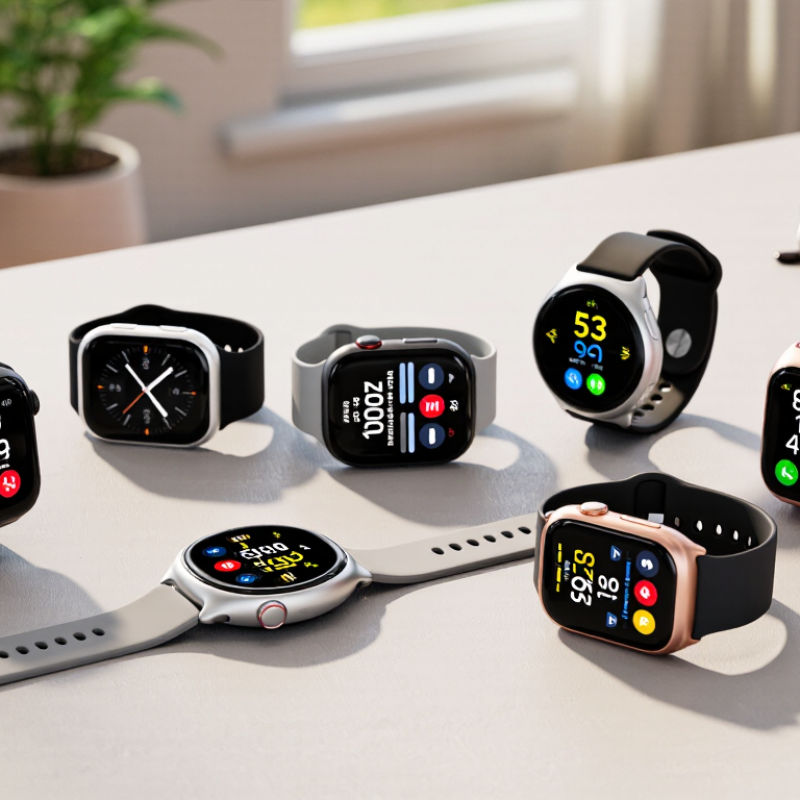
7 Best Medical Alert Smartwatches for Seniors in 2026?

What Medical Alert Smartwatches Are and How They Work

A medical alert smartwatch combines a wearable computer with a way to request help. It may include an emergency button, fall detection, location sharing, and sensors that track movement or pulse. When the wearer presses the button, the watch typically calls a monitoring service or chosen contact through a connected phone or built-in cellular connection. Some models also send GPS coordinates. The exact process depends on the device and its service plan.

Fall detection can trigger an alert when a sudden movement is followed by little or no motion. A person may then be asked to confirm they are okay; if they cannot respond, the system may contact help. There is a real need: the CDC reports that more than one in four adults aged 65 and older falls each year. The World Health Organization reports about 684,000 fatal falls globally each year, with older adults facing the greatest risk. These figures explain the appeal, but a watch cannot prevent every fall or diagnose an injury.

Daily use matters. A watch needs charging, a secure fit, and a working connection; a flat battery offers no protection. False alerts can happen, especially during vigorous movement. And the watch can still get it wrong. Before relying on one, check how alerts are handled, whether location works indoors, and who is contacted when nobody answers. A brief test at home can reveal confusing steps before an emergency occurs.

Safety Features to Compare Before Choosing a Watch

Before comparing medical alert smartwatches, check how an emergency call reaches help. Does the watch need a nearby phone, or can it connect independently? Confirm whether two-way voice is available and whether trained responders answer around the clock.

GPS can help outdoors, but it may be less precise inside a home. Ask how the service handles suspected falls, too. Automatic detection can miss a slow slide or mistake a dropped watch for a fall. Small details matter.

The World Health Organization reports about 684,000 fatal falls worldwide each year, with adults over 60 facing the greatest risk. The CDC also reports that more than one in four adults aged 65 and older falls annually.

These figures make response reliability worth checking, not just the feature list. Compare battery life against the wearer’s daily routine, including overnight use and charging time. Check water resistance, screen readability, button size, and whether the watch feels comfortable on a smaller wrist.

Test it indoors. Also review what location and health data are collected, and who can access them. A feature list can look reassuring; real-life testing is less tidy. Try the watch’s call process and controls before relying on it.

Seven Medical Alert Smartwatches to Consider in 2026

In 2026, a medical alert smartwatch should fit daily life, not just look reassuring.

Consider seven practical options:

  • a cellular watch with direct emergency calling;
  • a GPS-enabled model for outdoor walks;
  • one with automatic fall detection;
  • one with a physical SOS button;
  • a model offering caregiver location sharing;
  • a long-battery option for people who dislike nightly charging; and
  • a water-resistant watch for shower or pool routines.

These are feature profiles, not guarantees.

Check coverage at home and along familiar routes. GPS can drift indoors, and fall detection may miss a slow slide from a chair. It can also trigger during vigorous movement. Ask whether the watch contacts trained responders, family, or both, and confirm any monthly service costs. Small print matters. Try pressing SOS with one hand, then check whether the screen and alerts remain readable in bright sunlight. A watch that feels bulky may stay in a drawer.

Battery life depends on signal strength and settings, so published estimates deserve a real-world test. Fit the device snugly, but not painfully. For someone with memory or dexterity challenges, simpler menus may matter more than extra health metrics. No smartwatch replaces a care plan or clinical advice. I would still compare it with a pendant, especially for users who remove watches at night.

Not perfect. But honest.

How to Match a Smartwatch to a Senior’s Needs

A useful medical alert smartwatch should fit a senior’s daily routine, not just offer a long feature list. Start with the main concern: getting help after a fall, staying in touch outdoors, or tracking health information. If a senior has limited hand strength, check whether the screen and buttons are easy to use. For someone who forgets to charge devices, battery life matters more than extra apps. Small details count. A watch that feels heavy or irritating may stay in a drawer.

Tips: Ask the senior to try the watch while seated and walking. Check that they can start an emergency call without help. Test the screen in bright daylight, and confirm that alerts can reach a chosen contact. A calm, clear interface helps.

Also consider mobile coverage where the senior spends time, plus whether the watch needs a nearby phone. Some models offer fall detection, but it can miss an event or trigger a false alert; it should not be treated as guaranteed protection. Check water resistance against bathing habits, and make sure charging fits the person’s routine. If possible, practice an alert with family before relying on the device. The first choice may not be the right one. A short trial can reveal what a product description cannot.

7 Best Medical Alert Smartwatches for Seniors in 2026? — How to Match a Smartwatch to a Senior’s Needs

These are seven practical shopping profiles, not named products. Features, emergency-service availability, cellular coverage, and subscription requirements vary by model and region; confirm them before purchase.

Smartwatch Profile Best Match Emergency Connection Fall Detection Battery Consideration What to Check Before Buying
1. Cellular watch with fall detection Older adults who spend time away from home and want to call for help without carrying a phone. May place a call or send an alert using cellular service; some models require an active plan. Available on some models, but detection may not identify every fall and may require setup. Cellular use and safety features can increase charging frequency; check the manufacturer’s stated runtime for the intended settings. Confirm coverage in the senior’s usual locations, emergency-contact setup, plan costs, and whether the alert reaches contacts or a response center.
2. GPS-enabled watch for active seniors People who walk, exercise, or travel locally and would benefit from location sharing during an emergency. Emergency calling or location sharing depends on cellular connectivity, a paired phone, or both. Model-dependent; GPS location does not itself detect a fall. Frequent GPS use can shorten time between charges. Check whether location sharing works without the phone nearby and whether it requires cellular service or a paid plan.
3. Simple SOS-focused watch Users who prefer a clear, easy-to-find help button over many health and fitness features. Usually requires a deliberate button press; the call or alert route differs by model. May be absent. Do not assume that an SOS button automatically includes fall detection. Fewer active features may help reduce charging demands, but actual battery life varies by device and use. Check button accessibility, accidental-press safeguards, who receives the alert, and whether two-way voice is supported.
4. Health-monitoring watch with ECG capability People whose clinician has advised them to use supported heart-rhythm recording features. Health readings generally do not automatically summon emergency help; emergency calling is a separate feature. Availability varies by model and region. Frequent measurements and notifications can affect charging needs. ECG features are not available on every watch or in every country, and they do not replace diagnosis or medical care.
5. Long-runtime, low-maintenance watch Users who find daily charging difficult or are likely to forget frequent charging. Emergency functions depend on the specific model; some longer-runtime watches rely on a paired phone. Not guaranteed. Verify the exact model’s feature list. Compare real-world reports as well as advertised estimates; GPS, cellular service, screen use, and alerts affect runtime. Balance battery life against the need for independent calling, location sharing, and accessible charging.
6. Phone-paired smartwatch Older adults who already carry a compatible smartphone and want a watch as a convenient companion. Calling and alerts may rely on the phone being nearby, charged, and connected. Some models include it; the watch and phone must be configured as required. Often requires regular charging; the phone also needs to remain charged and available. Check phone compatibility, Bluetooth range expectations, and what happens when the phone is left at home or loses service.
7. Caregiver-connected watch Families who want agreed-upon emergency contacts or location sharing, with the senior’s consent. May notify selected contacts through an app; a monitored response service is not automatic. Only if the selected model supports it and the feature is enabled. Frequent location updates and notifications may increase charging needs. Review privacy settings, contact permissions, subscription terms, and whether alerts are monitored around the clock.

Costs, Connectivity, and Caregiver Setup Options

For a medical alert smartwatch, compare the full cost, not just the checkout price. Ask whether the monthly fee includes cellular service, emergency monitoring, fall detection, and caregiver access. Check activation, cancellation, replacement, and roaming charges too. A watch that needs a nearby phone may be less useful during a solo walk. Small detail, big difference. Test the exact route around the home and yard before relying on it.

Connectivity affects response time. GPS can help locate a wearer outdoors, but thick walls, weak mobile coverage, and a drained battery can interrupt service. The CDC reports that about one in four adults aged 65 and older falls each year. That makes automatic alerts worth considering, but they can miss falls or trigger false alarms. A watch is not a diagnosis or a substitute for an agreed emergency plan.

Caregiver setup should be simple enough to maintain. In Caregiving in the U.S. 2025, AARP and the National Alliance for Caregiving estimate that 63 million Americans provide care. That is a lot of families coordinating support. Set up emergency contacts together, test a call, and confirm who receives alerts and when. Review location permissions and charging habits. Honestly, people forget to charge things. Recheck settings after a phone change, travel, or a new caregiver; shared access can become confusing.

7 Best Medical Alert Smartwatches for Seniors in 2026? — Costs, Connectivity, and Caregiver Setup Options

Typical U.S. monthly cost ranges to check when comparing medical alert smartwatch plans

These are broad budgeting estimates, not quotes for specific products. Services may be bundled, optional, or unavailable depending on the plan; check current pricing and coverage before buying.

FAQS

What should I consider when choosing a medical alert smartwatch?

Start with the main need: emergency calls, fall alerts, outdoor location, or health information. Comfort matters too. A bulky watch may end up in a drawer.

Does GPS show a senior’s exact location?

Not always. GPS can drift indoors, so test it on familiar walking routes and near home.

Can fall detection reliably identify every fall?

No. It may miss a slow slide from a chair or trigger during vigorous movement. Treat it as an added alert, not guaranteed protection.

How can I check whether the SOS button is easy to use?

Ask the wearer to press it with one hand while seated and walking. Confirm who receives the alert. Practice once with family.

What should caregivers check before relying on location sharing?

Check mobile coverage where the senior spends time. Also confirm whether the watch needs a nearby phone to share location.

How important is battery life?

It matters greatly for someone who forgets nightly charging. Signal strength and settings affect battery life, so test the watch during normal use.

Is a water-resistant watch suitable for bathing?

Check its stated water resistance against the person’s routine. Bathing and pool use may have different limits.

What if the wearer has limited hand strength or memory challenges?

Look for clear menus, readable alerts, and easy-to-press controls. Try the watch while seated and walking. The first choice may still feel wrong.

Conclusion

A Medical Alert Smartwatch for Seniors can combine everyday timekeeping with tools designed to support safety and independence. These watches may offer features such as emergency calling, fall detection, location sharing, and health or activity tracking, though capabilities vary. Before choosing one, consider how alerts are triggered, whether the watch can contact caregivers or emergency services, battery life, ease of use, comfort, and the clarity of its display and controls.

The seven options covered in this guide represent different approaches to senior safety and connectivity. The right choice depends on the wearer’s mobility, health needs, comfort with technology, and preferred level of caregiver involvement. Also compare purchase and service costs, cellular or Wi-Fi requirements, coverage, and setup steps. A practical choice should be easy to wear and maintain, fit the senior’s routine, and provide reassurance without adding unnecessary complexity.


Seraphina

Seraphina

Seraphina is a dedicated marketing professional with a deep understanding of our company’s products, customers, and industry landscape. Combining strategic insight with clear, engaging communication, she helps translate complex product features into practical value for businesses and everyday......