Free Angel Watch™ app · No app subscription · 14-day money-back guarantee
0%

Smartwatches now sit close to the body, and some can capture sound with a few taps. IDC estimated that worldwide wearable-device shipments reached 534.6 million units in 2024, up 6.1% from the previous year. More devices make thoughtful privacy choices important. That matters.

Pew Research Center’s 2019 privacy survey found that 79% of U.S. adults were concerned about how companies use their data. Another 81% felt the potential risks outweighed the benefits. These figures are not specific to watches, but they show why clear consent and careful data handling deserve attention. A recording icon, a visible microphone control, and a straightforward way to delete recordings can make a real difference. Trust comes first.

This guide explores seven consent-based audio monitoring smartwatches, focusing on practical features rather than promises of secret listening. We consider how each device handles permission, recording indicators, storage, and access controls. A Discreet Remote Audio Monitoring Smartwatch should mean a device that is unobtrusive to wear—not one that hides recording from people nearby. Buyers should check current product documentation and confirm that everyone involved understands when audio may be captured. Features and settings can change, and marketing language is not a substitute for clear controls. Even careful buyers can miss a small setting. That is worth remembering.
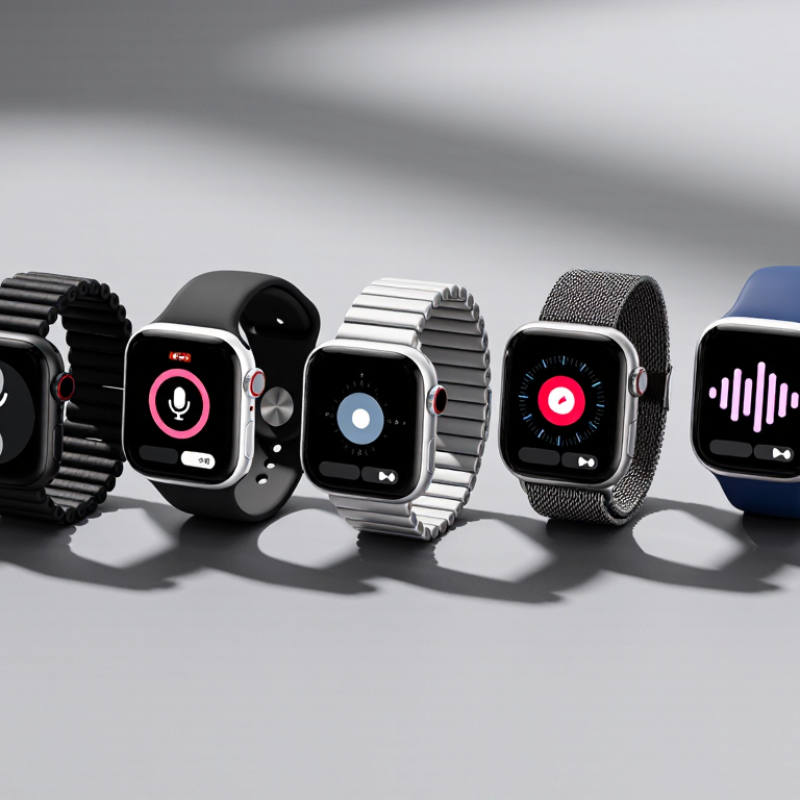
7 Best Consent Based Audio Monitoring Smartwatches

How Consent-Based Audio Monitoring Works in Smartwatches

Consent-based audio monitoring begins with a clear choice, not a hidden recording. A wearer taps an on-screen control and sees when the microphone is active. Nearby participants should also be told that audio is being captured and why. A small vibration or visible indicator can help, though it may be easy to miss in a noisy room.

Depending on the watch and its settings, audio may be analyzed on the device, sent to a paired phone, or stored for later review. These are different privacy choices. A transparent setup explains what is collected, who can access it, and how long it remains available. For example, a user might enable a short voice memo during a meeting, then review and delete it afterward. It should be easy to stop monitoring at any time.

Useful safeguards include a clear recording indicator, restricted access, and automatic deletion options. They reduce risk, but do not remove it. Small screens can make settings awkward to check, and people may forget that monitoring is active. That deserves honest attention. A smartwatch should support informed, voluntary use—not quietly capture conversations.

Market Context: Bluetooth SIG Forecasts 7 Billion Annual Shipments by 2028

Bluetooth SIG forecasts seven billion annual Bluetooth device shipments by 2028. That figure points to a crowded, connected market, not a guarantee that every device will be useful. For consent-based audio monitoring smartwatches, wider Bluetooth adoption could make pairing with phones and earbuds feel routine. A wearer might check a connection while walking to work or review a brief audio note after a scheduled check-in. Small details matter: clear recording indicators, simple controls, and an obvious way to stop monitoring.

Shipment forecasts measure devices, not trust. A high volume can also bring more confusing setup screens and overlooked permissions. Users should know when audio is active, who can access recordings, and how long files remain stored. These basics deserve attention before comparing battery life or watch-face features. Better connectivity may reduce pairing friction, but it cannot replace informed consent. I admit the market story is less exciting than the number suggests. Still, a quiet vibration confirming that monitoring has stopped may matter more than another feature on a crowded screen.

7 Best Consent-Based Audio Monitoring Smartwatches — Market Context: Bluetooth SIG Forecasts 7 Billion Annual Shipments by 2028
Use Case What to Look For Consent and Privacy Safeguards Connectivity Considerations Best-Fit Setting
1. Personal voice notes On-device voice memo controls and a clear way to start and stop recording. Record only your own notes or conversations where everyone involved has agreed. Check whether saving or syncing recordings requires a paired phone or an internet connection. Personal reminders and dictated notes.
2. Consensual interviews A microphone suitable for nearby speech, accessible recording controls, and a practical export option. Tell participants recording is underway and obtain their consent before capturing audio. Test audio transfer and file access before the interview; Bluetooth range varies with device and surroundings. Short, openly recorded interviews.
3. Accessibility support Easy-to-use voice controls and compatibility with the user's chosen accessibility tools. Use audio features with the wearer's knowledge and control; explain when speech or audio may be processed. Confirm which functions work on the watch itself and which depend on a connected phone or service. User-directed reminders and accessibility workflows.
4. Family check-ins Clear call or voice-message controls, understandable permissions, and settings the wearer can review. Make audio sharing voluntary and visible to the wearer; do not enable covert listening. Check cellular, Wi-Fi, or phone-pairing requirements for communication features. Opt-in communication between family members.
5. Field observations Straightforward recording controls and enough available storage for the intended session. Follow local recording rules and secure permission from people whose voices may be captured. Plan for offline use if the activity takes place outside reliable phone or network coverage. Documenting one's own observations in permitted settings.
6. Hands-free calls A built-in microphone and speaker, with call controls that are easy to operate while wearing the watch. Use calls openly and respect other people's privacy in shared or sensitive spaces. Verify whether calling needs a paired phone, a separate mobile connection, or network access. Brief calls when a phone is not readily accessible.
7. Guided practice or coaching Voice prompts or recording tools that can be started and stopped by the wearer. Keep recording optional, announce it to others, and delete audio when it is no longer needed. Check whether playback and storage are available directly on the device or require a paired phone. Self-guided practice and explicitly agreed coaching sessions.
Market context: The Bluetooth SIG forecast of 7 billion annual shipments by 2028 refers to Bluetooth-enabled devices across the broader market, not smartwatch shipments alone. It is a forecast, not a reported result. Audio features, battery life, storage, and connectivity vary by device; check current specifications and applicable recording laws before use.

Consent and Recording Laws: GDPR Article 7 and Regional Rules

A consent-based audio-monitoring smartwatch should make recording visible and easy to stop. Under GDPR Article 7, consent must be freely given, specific, informed, and shown through a clear affirmative action. A vague setup screen is not enough. Explain what is captured, why it is used, who can access it, and how long it is kept. Keep permission separate for different purposes, such as live monitoring and saved recordings. Users must be able to withdraw consent as easily as they gave it, and the organization collecting data should be able to demonstrate that consent.

Recording rules vary by country and region. Some places require everyone in a conversation to agree; others apply different standards depending on context. GDPR consent also may not be the correct legal basis for every use of audio data. Check applicable privacy and recording rules before enabling a feature, especially in workplaces, care settings, or shared spaces. A small notice can be missed. That matters.

Tips: Put a clear recording indicator on the watch, such as a visible icon and brief vibration. Offer a nearby stop control, avoid recording by default, and delete clips promptly when they are no longer needed. Test the consent flow with someone unfamiliar with the device; confusing wording is easy to overlook. For uncertain cases, seek qualified local legal guidance.

How to Compare Mic Quality, Battery Life, and IEC 60529 Ratings

A consent-based audio-monitoring smartwatch should capture clear speech without forcing the wearer to speak loudly. Compare microphone performance using the same room, distance, and speaking volume; listen for clipped consonants, wind noise, and muffled voices. A quiet kitchen and a breezy walk can reveal very different weaknesses. Check whether recordings remain understandable at ordinary conversation distance, not just beside the watch. Ask how recording starts, how consent is shown, and whether audio can be deleted. Small details matter. I would also note that a microphone can sound “clear” in a short demo yet struggle during a longer call; real-world testing is imperfect.

Battery figures are useful only when test conditions match your routine. Compare runtime with audio monitoring enabled, screen brightness fixed, and notifications held constant. Record the hours used over a full day, then repeat the test; one result can mislead. For durability, read the complete IEC 60529 rating: an IP67 device is dust-tight and is tested for immersion in water up to 1 metre for 30 minutes under defined conditions. That rating does not establish resistance to every exposure, such as steam or repeated swimming. IEC 60529 is a standard, not a microphone-quality score or a guarantee of everyday performance. Check the exact rating and the test notes, not just a large “water-resistant” label.

Seven Smartwatches Ranked by Consent Controls and Audio Features

A useful ranking of seven consent-based audio-monitoring smartwatches should start with what a wearer can control, not how much sound a device can capture. The top position belongs to a design with a clear recording light, an obvious start-and-stop control, and permission prompts before audio features activate. Strong options also show when recording is active and let users review or delete saved files. Small details matter. A button should be easy to find during a hurried moment.

The next two places go to watches with clear consent settings and practical audio tools, such as voice notes or brief recordings. Their controls should explain where files are stored and how long they remain available. Fourth and fifth place suit devices with useful microphones but less detailed storage choices or harder-to-find privacy controls. Sixth place goes to a watch that offers basic recording and a visible indicator, yet provides limited control over saved audio. The seventh offers the weakest combination: unclear prompts, few deletion options, or controls buried in menus. That ranking is only as reliable as the information available; feature descriptions do not prove real-world performance.

Before choosing, test the settings in person if possible. Check the recording indicator, permission screen, and deletion process. Ask who can access saved clips. Consent should be easy to understand and easy to withdraw. A polished feature list is not enough.

FAQS

What should clear consent explain before audio monitoring begins?

Explain what the watch captures, why, who can access it, and how long recordings remain. A vague setup screen is not enough.

How can a wearer tell when recording is active?

Use a visible recording icon and a brief vibration. Keep a stop control nearby. Small details matter.

Can one permission cover every audio feature?

It is clearer to request separate permission for live monitoring and saved recordings. Users should be able to withdraw consent easily.

Do recording rules vary by location?

Yes. Some places require everyone in a conversation to agree, while other rules depend on context. Check local requirements before enabling recording.

How can microphone quality be compared fairly?

Test devices in the same room, at the same distance and speaking volume. Listen for clipped consonants, wind noise, and muffled speech.

Why test audio outside a short demonstration?

A breezy walk can reveal problems that a quiet kitchen hides. A short demo can mislead; I may trust it too quickly.

How should smartwatch battery life be tested?

Keep screen brightness, notifications, and audio monitoring settings consistent. Track a full day, then repeat the test. One result can mislead.

What does an IP67 rating tell you?

It indicates dust-tight protection and testing in water up to one metre for 30 minutes under defined conditions. It does not guarantee resistance to steam or repeated swimming.

Conclusion

This guide explains how consent-based audio monitoring works in smartwatches, focusing on clear opt-in controls, visible recording indicators, and safeguards that help users understand when audio is captured or shared. It also places the feature in a growing wearable-device market, noting the forecast of 7 billion annual Bluetooth device shipments by 2028. Because expectations and requirements differ by location, the guide highlights the importance of obtaining informed consent and reviewing applicable rules, including GDPR Article 7.

To compare devices, readers can assess microphone clarity, battery life, durability ratings under IEC 60529, and the ease of managing permissions and deleting recordings. The seven-watch ranking evaluates these practical features alongside transparency and user control, rather than encouraging hidden recording. A Discreet Remote Audio Monitoring Smartwatch should be considered only for openly agreed, appropriate uses where everyone involved understands and accepts how audio is handled.


Seraphina

Seraphina

Seraphina is a dedicated marketing professional with a deep understanding of our company’s products, customers, and industry landscape. Combining strategic insight with clear, engaging communication, she helps translate complex product features into practical value for businesses and everyday......